Export Data from Grid
This article demonstrates how to export data from the table/grid in the Meru Data Governance Tool
From the Data Governance Tool home page, click Menu
 on the top left corner of your screen.
Under Menu, select the second option – DataMaps

- On the DataMaps page, click System Names to view the table with the System Names and their related fields
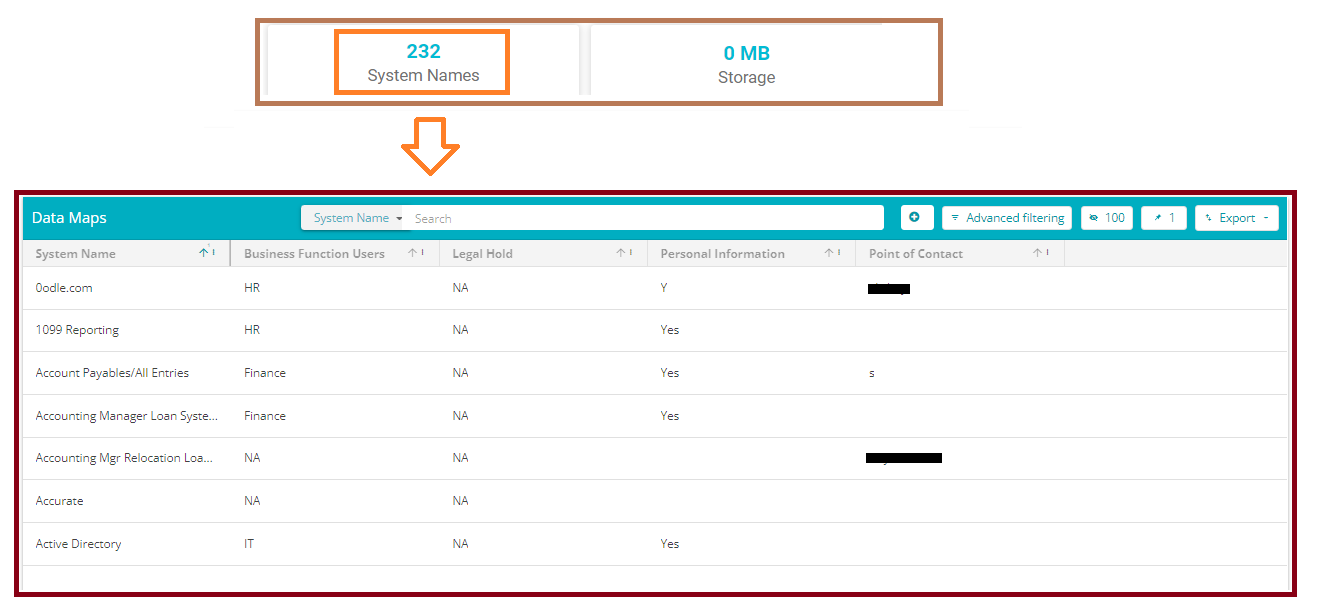
On clicking the Export button
 on the right corner of the screen, a drop-down table will appear with the option – To Excel and To CSV
Select the required format for exporting the data to either Excel or CSV
